> Online tutorial : advanced PHP
Showing posts with label advanced PHP. Show all posts

PHP interview Question with answer

PHP interview Question with answer

1)<?php
$varA=one;
$varB=&$varA;
$varA=two;
print $varB;
?>

Output:
2

It is result is Two because $varB holds the reference of $varA value an dboth $varA and $varB poin the same value.

2)<?php
$num1=6;
$num2=5;
$val=(num1>$num2)?$num1:$num2;
echo "Greatest of no".$val;num2;
?>

Output:
6
It is greatest of two number in the given number.

3)what is print_r()?

The print_r() is used to print out the entire content of array.
<?php
$fruit=array("orange","apple","mango");
print_r($fruit);
?>

4)What happened below code
<?php
print "type(152).gettype(152)."\n";
?>

Answer:

it is return the 152 as an Integer value.gettype() is used to get the datatype.

5)How do find the Ip address of remote machine?

Answer:

<?php
echo "your ip address is ".$SERVER['REMOTE_ADDR'];
?>

6)<?php
echo ucfirst("helloworld");
?>
what happened in this code?

Answer:

It is return the output Hello world.the ucfirst() is used to convert the first character in to Uppercase.

7)Difference between include() and require()?

In include() function if can't include the file it is generate error but continue the execution of program but require() function if can't include the file it is generate fatal error in script.

8)How destroy the session in PHP?

In session we are using unset() or session_destroy() function which is used to destroy the session in PHP.

9)What is use of explode() in PHP?
explode() function is used to convert string into array.

10)How do connect PHP with Mysql query?

$mysql_connect("address","username","password")

How do Upload File using PHP

How do Upload File using PHP

In PHP we are using two file which used upload file in the server.First one Html file and another one is PHP file .

In the Html file we are going get file content and PHP file we are process it and Upload into Particular file path.

Coding

In the coding section we are show First html file.In the html file we are going to get file and sent to php file using POST method.Here code for HTML file.


Upload.html:

1)In the form enctype/form data encding when submitting to the server.


<html>
<body>
<form enctype="multipart/formdata" action="saveupload.php" method="post">
<input type="file" name="fileToUpload">
<input type="submit" value="UploadFile">
</form>
</body>
</html>

saveupload.php:


1)$_FILES["file"]["name"] it is used get the name of file
2)$_FILES["file"]["type"] it is used to get type of file  
3)$_FILES["file"]["size"]  it is used to get size of file 
4)$_FILES["file"]["tmp_name"]  it is give tmp name of file which is ued to store the file in folder.


<?php

echo "<table border=\"1\">";
echo "<tr><td>Client Filename: </td>

   <td>" . $_FILES["file"]["name"] . "</td></tr>";

echo "<tr><td>File Type: </td>
   <td>" . $_FILES["file"]["type"] . "</td></tr>";
echo "<tr><td>File Size: </td>
   <td>" . ($_FILES["file"]["size"] / 1024) . " Kb</td></tr>";
echo "<tr><td>Name of Temp File: </td>
   <td>" . $_FILES["file"]["tmp_name"] . "</td></tr>";
echo "</table>";

move_uploaded_file($_FILES["file"]["tmp_name"], "C:/upload/" . $_FILES["file"]["name"]);

?>

move_uploaded_file(dest_file,source_file)

Here Upload is folder we can create in you local computer it is save the file. 

How do get server date using PHP

How do get server date using PHP

In this program i will show you how do get server date and time using PHP.In PHP getdate() function is used to get date in server.

Program

<?php
$time = getdate();
$date = $time['day'];
$month = $time['month'];
$year = $time['year'];
$hour = $time['hours'];
$min = $time['minutes'];
$sec = $time['seconds'];

$current_date = "$date/$month/$year == $hour:$min:$sec";

echo "$current_date";

?>


Output:


Pop up box in javascript

Pop up box in java script

In this below coding is used to show How do create popup box using javascript.
Alert box:In this type of pop up box some message will be displayed
confirm box:In this type of popup box in which message about confimation will be displayed
Prompt boxIn is a type of popup box which display text window in which user can enter something Hence it has two buttons OK or cancel


Program


<html>
<body>
<script type="text/javascript">
if(confirm("do you agrred?"))
alert("You have agreed");
else
input_text=prompt("Enter some string here," ");
alert("hi"+input_text);
</script>
</body>
</html>


make image using php

make image using php

In this program we will create image using php.In the imagecreate is used to create the image space.


<?php
header("Content-Type: image/png");

$im = @imagecreate(500, 120)

or die("Cannot Initialize new GD image stream");

$background_color = imagecolorallocate($im, 0, 0, 0);

$text_color = imagecolorallocate($im, 233, 14, 91);

imagestring($im, 1, 10, 10, "Online tutorial", $text_color);

imagepng($im);

imagedestroy($im);

?>
Output

generate random in php


generate random in php

In this program is used generate random number in PHP.we are using rand() used to generate random number in PHP.


<?php
echo rand() . "\n";
echo rand(10,4);
?>


Upload file using PHP

Upload file using PHP

HTML Coding

In this example .i will show How upload file using PHP.we are two program here.one is HTM and PHP program.

In the HTML file get the file and send to the PHP program using POST method.


<html>
<body>
<form action="upload.php" enctype="multipart/form-data" method="post">
Select the file to upload<input name="upload" type="file" />
</form>
</body>
</html>

PHP Coding


<?php
$uploadddr='upload/';
$uploadfile=$uploaddr.basename($_FILE[''file']['name']);
if(move_uploaded_file($_FILE['file']['tmp_name'].$uploadfile))
{
echo "file is valid";
}
else
{
echo "file uploading failed";
}?>


PHP Program Explaination:

In the PHP program will get the file stored in file called upload.You must create upload folder in your Computer.

get Http vs Https in php

get Http vs Https in php

In this post. I will show you How do know your server protocol that is Http or https using PHP.
Coding


<?php

if (!empty($_SERVER['HTTPS']) && $_SERVER['HTTPS'] !== 'off'
    || $_SERVER['SERVER_PORT'] == 443) {

  // HTTPS
echo 'https';
} else {

echo 'http';  // HTTP

}
?>

Output:

Getting image width and height using PHP

Getting image width and height using PHP

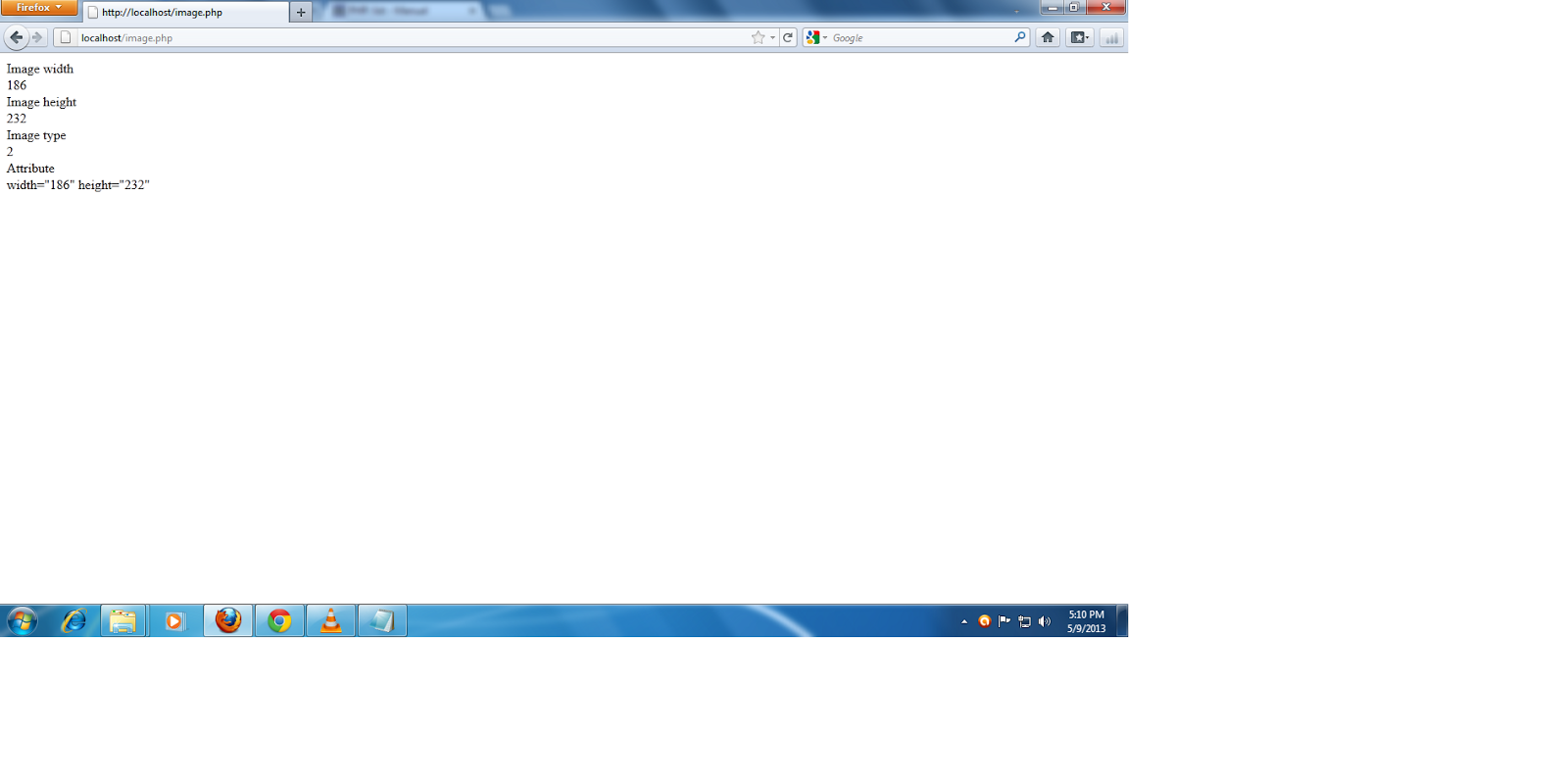
In Coding we are getting size of image using function getimagesize. it is get width and height of given object.


Coding


<?php

  list($width, $height, $type, $attr) = getimagesize("C:\wamp\www\Batista.jpg");

  echo "Image width <br/>" . $width."<br/>";
  echo "Image height <br/>" . $height."<br/>";
  echo "Image type <br/>" . $type."<br/>";
  echo "Attribute <br/>" . $attr."<br/>";

?>

Output


Get ip address using php

Get ip address using php

This tutorial i will show you get the IP(Internet Protocol)Address of proxy server.

Coding


<?php
if (!empty($_SERVER['HTTP_CLIENT_IP'])) {
     $ip=$_SERVER['HTTP_CLIENT_IP'];
} elseif (!empty($_SERVER['HTTP_X_FORWARDED_FOR'])) {
     $ip=$_SERVER['HTTP_X_FORWARDED_FOR'];
} else {
     $ip=$_SERVER['REMOTE_ADDR'];
echo $ip;
}
?>

Program Explaination:

In this coding the REMOTE_ADDR will finding IP address of proxy server.

Output:


How do finding metatag using PHP

How do finding metatag using PHP:
This tutorial i will show  how do find the metatag of website using PHP. They function called get_meta_tags Which is used to get information of meta tag in the website.


Coding


<?php $tags = get_meta_tags("http://www.w3schools.com"); ?>


<h2>Author</h2>

<?php echo $tags['author']; ?> <br/>      // name 

<h2>Keywords</h2>

<?php echo $tags['keywords']; ?>   </br>  // php documentation

<h2>Description </h2>

<?php echo $tags['description']; ?> </br> // a php manual


Program Explain:


In this Program you finding the meta tag in the website.here  get_meta_tags which used get metatag information you can specific any site here.s

Output:

registration form in php


Registration form:
This is registration form in which data are entered by the user then it is goes to database for storing data.In this registration form we create four field and send data using form tag.
<html>
<body>
<form name="form1" action="signup2.php" method="post">
Name<input type='text' name='name'>
Email id<input type='text' name='email'>
Pass<input type='password' name='pass'>
Country<input type='text' name='country'>
<input type='submit' name='submit' value='Insert'>
</form>
</body>
</html>

Storing data in database:

In this program we are create database connectivity storing data which entered by user in registration form.In this data are useful processing the query.

<?php
$conn=mysql_connect('localhost','root','');
$db_name='temp';
mysql_select_db($db_name);
$name=$_POST['name'];
$email=$_POST['email'];
$pass=$_POST['pass'];
$country=$_POST['country'];
$insert=mysql_query("insert into tempv(name,email,pass,country)values('$name','$email','$pass','$country')");
?>

send emails using php

Registration form

We are create registration form which is important in data storing when the entered value in field the data are redirect value to corresponds method by using form tag.Now they store data in Mysql database for furthur processing on the data.

<html>
<body>
<div align='left'>
<table border='1'>

<form name='form1' action='post' method='reglog.php'>
//In which the HTML values will be redirected to reglog.php program using POST method is used


<table bgcolor='skyblue' border='1'>
<tr><td width='50'>Name:</td><td width='50'><input type='name' name='name' placeholder='Enter the Name'>
</td></tr>
<tr><td width='50'>Password:</td><td width='50'><input type='password' name='pass' placeholder='Enter the password'>
</td></tr>
<tr><td width='50'>Retype password:</td><td width='50'><input type='password' name='pass' placeholder='Retype Password'>
</td></tr>
<tr><td width='50'>Email id:</td><td width='50'><input type='text' name='email' placeholder='Enter the Email id'>
</td></tr>
<tr><td width='50'></td><td width='70'><input type='submit' value='Submit'>
</td></tr>
<tr>
</form>
</tr>
</table>
</div>
</body>
</html>


Mysql connectivity

Now we are going to create the database for storing data in verification process .using following MYSQL syntax to create database in MYSQL

Common Syntax
Create database
create database database_name;
Use database
use database_name;
create table query
create table tab_name(tab_name varchar(20),tab_name1 varchar(20),tab_name3 varchar(20),tab_name4 varchar(20),));


Sending mail in php:

Now we are create database connectivity for the program

<?php
$tbl_name=name of table;
// Random confirmation code
$confirm_code=md5(uniqid(rand()));
// values sent from form
mysql_select_db($db_name);
$name=$_POST['name'];
$pass=$_POST['pass'];
$repass=$_POST['repass'];
$email=$_POST['email'];
$insert=mysql_query("insert into table_name(name,pass,repass,email)values('$name','$pass','$repass','$email')");
if($result)
{
$to=$email;
$subject="Your confirmation link here";
$header="from: your name ";
$message="Your Comfirmation link \r\n";
$message.="Click on this link to activate your account \r\n";
$message.="http://www.yousiteaddress.com/confirmation.php?passkey=$confirm_code";
$sentmail = mail($to,$subject,$message,$header);
}
else
{
echo "Not found your email in our database";
}
if($sentmail)
{
echo "Your Confirmation link Has Been Sent To Your Email Address.";
}
else {
echo "Cannot send Confirmation link to your e-mail address";
}
?>